Microsoft Bing Search
- 4.5
- Rating
- 100.00M
- Installs
- Free
- Price

 Analysis by App-foxy
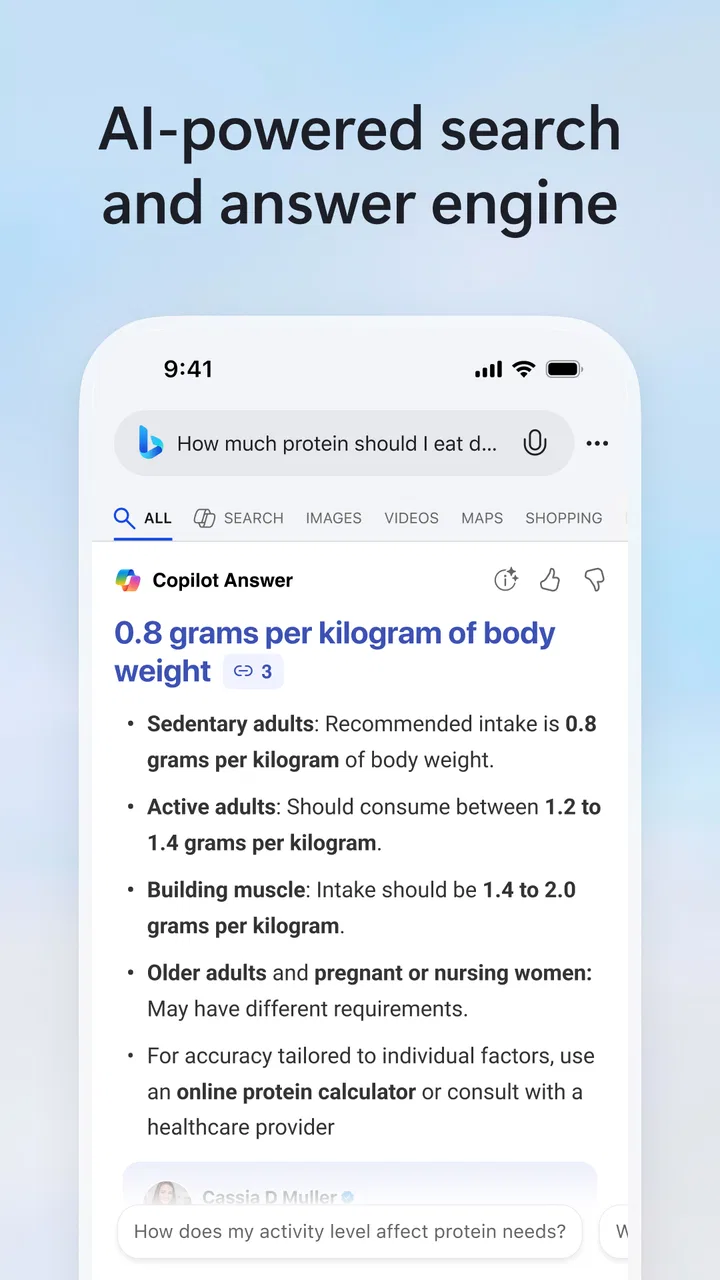
I came away from Microsoft Bing Search with a fairly clear opinion: it is most useful when I want to move from a vague question to a practical answer without opening several pages first. It combines ordinary web search with an AI-assisted way of exploring a topic, so it feels less like a list of blue links and more like a conversation that can lead me toward the next useful question. That convenience is the reason I would recommend it to many people, although I would not treat every generated answer as a final authority.
As a free tools app from Microsoft Corporation, it is easy to try without committing to a subscription. Its Everyone age rating also makes it approachable for households and general-purpose devices. The app has been available since November 11, 2010, and its long presence is reflected in its broad adoption: it has passed 100 million installs, with an average score of 4.6 from roughly 1.7 million ratings. Those figures do not replace personal testing, but they do suggest that Bing has become a familiar daily search option rather than a niche experiment.
How Bing Search feels in everyday use
The first thing I noticed is that the app works best when I treat search as a starting point rather than a destination. A short question can produce a direct explanation, related ideas, and links for checking the details. This is especially convenient on a phone, where switching between many browser tabs quickly becomes irritating. I can ask about a subject, refine the wording, and continue from the same screen instead of rebuilding the search from scratch.
You May Also Like

 AccuWeather: Weather Radar
AccuWeather Review: A Quick, Clear Forecast for Everyday Decisions
For everyday plans, the best forecast is the one you can understand quickly. AccuWeather makes rain timing, radar, and local conditions easy to act on, with a few trade-offs.

 Hill Climb Racing
Why Hill Climb Racing Still Turns Crashes Into One More Run
A tiny car, a bumpy hill and one more upgrade: Hill Climb Racing keeps resurfacing because its simple chaos makes every near-miss feel personal.

 AliExpress - Shopping App
AliExpress Makes Global Shopping Feel Personal, but Shoppers Bear the Risk
AliExpress turns a global marketplace into a pocket-sized discovery engine. Its reach is useful, its shopping loop compelling, and its trade-offs easy to miss.

 Lords Mobile: Kingdom Wars
Lords Mobile Is a Kingdom-Building Routine, Not a Quick Match
A case-by-case verdict on the building, battles, device demands, and social commitments that make Lords Mobile rewarding for some players and exhausting for others.

 PDF Scanner app - TapScanner
TapScanner Makes Paperwork Easier to Capture, Check, and Share
TapScanner makes scanning with a phone feel less like a rescue operation and more like a dependable step in getting work done. Its capture tools are useful, though not flawless.

 Block Blast!
 Shows How Much a Puzzle Game Can Leave Out
A quiet grid game shows why puzzle players increasingly value instant clarity, repeatable skill and low-pressure play—and where the genre still needs to catch up.
More From Our News Desk
View All News


That conversational approach is the app’s strongest identity. Traditional search is still available, and that matters because I often want to compare sources, inspect a page myself, or find a particular website. The AI-powered side is more helpful when I am unsure how to phrase a query. Instead of guessing the exact words used by an article, I can describe what I need in ordinary language and let the results point me in a direction.
For example, imagine I am planning a weekend meal and have a few ingredients left in the kitchen. A conventional search might require several separate searches for recipes, substitutions, and cooking times. With Bing, I can begin with the ingredients, ask for a simple plan, then follow up by narrowing the request to a smaller portion or a different dietary preference. I still check the original recipe before cooking, but the app reduces the effort involved in organizing the search.
I found a similar benefit when researching unfamiliar subjects. If I ask about a technical term, the first response can give me enough context to understand later results. I can then search for examples, opposing views, or a more beginner-friendly explanation. This layered workflow is more useful than typing the same broad phrase repeatedly, because each question can build on the previous one.
Where the AI assistance earns its place
The AI feature is not simply a decorative search box. Its real value appears when the task has several parts. I can ask for a comparison, request a shorter explanation, or change the audience from a beginner to someone with more background. That makes it useful for preparing notes, planning a project, or turning a confusing subject into a sequence of smaller questions.
One practical trick is to ask for structure rather than just information. For instance, instead of asking for a broad explanation of home networking, I might request a checklist for diagnosing a slow connection, followed by the warning signs that mean I should stop changing settings. The resulting organization can save time, especially when I am not yet familiar with the vocabulary of the subject.
Another worthwhile habit is to use the first answer to discover search terms, then perform a more conventional search with those terms. This gives me the speed of AI-assisted exploration without giving up the control of reading source pages. It is a better workflow than accepting a polished paragraph immediately, particularly for health, finance, legal matters, or anything where an incorrect detail could have real consequences.
The app also suits quick language and writing tasks. I can ask it to clarify a sentence, suggest a more natural way to phrase a message, or explain the difference between similar terms. I would not use it to replace careful editing, but it is handy when I am stuck on wording and need several possible directions rather than one rigid answer.
Traditional search still matters here
One of Bing’s advantages is that the AI layer does not make ordinary search irrelevant. When I need an official page, a specific product manual, a local business, or a particular article, I prefer to see the search results directly. That lets me judge the source, read the surrounding context, and decide whether the page actually answers my question.
This combination makes Bing more flexible than an app designed only for chat. A conversational answer can help me understand what to look for, while standard results help me verify it. In my experience, the best results come from moving between both modes instead of choosing one permanently.
That distinction is important for users who are comparing it with the default browser search on their phone. A browser may be faster for a single navigational query, such as finding a familiar website. Bing becomes more compelling when I am investigating a topic, asking follow-up questions, or trying to turn a broad idea into an actionable plan. It is not automatically better for every search; it is better for a particular style of searching.
Small workflows that make a noticeable difference
I would start a complicated task with a broad question, but I would not stop there. After reading the initial response, I would ask the app to separate established information from assumptions, list the points that need checking, or suggest the most useful next searches. This turns the tool into a research assistant rather than a machine that hands me one paragraph and expects me to trust it.
For shopping research, I would use it to define the features that matter before comparing products. Asking for a shortlist of decision criteria is often more valuable than asking which item is “best.” Once I know whether battery life, repairability, size, or compatibility matters most, I can use ordinary results to inspect current product pages. This approach reduces the risk of being guided by a generic recommendation that does not fit my situation.
For travel planning, I would use the app to build a rough outline and then verify opening times, transport information, and booking details through official sources. The conversational format is excellent for arranging ideas by location or interest, but time-sensitive details deserve a second look. That division of labor is one of the most reliable ways to get value from the app.
For study, I would ask it to explain a concept in stages and then create questions that test whether I understood it. I would still compare the explanation with class material or a trusted reference, especially if the subject is technical. The useful insight here is that Bing can help reveal what I do not understand yet, not merely provide text to copy into notes.
The weakness I would not ignore
The main limitation is the same feature that makes Bing attractive: a fluent answer can sound more certain than the underlying information deserves. A neatly written response may combine accurate points with an oversimplification or an error. Because the presentation is smooth, a hurried reader may not notice where verification is needed.
I also found that broad questions can produce broad answers. If I ask for the best option without explaining my budget, location, experience, or priorities, the result may be reasonable but not particularly personal. The solution is to provide context, yet that requires more effort than a simple search. Users who want a fast, precise destination may prefer a standard search engine or a direct website instead.
There is another trade-off in conversational searching: the first answer can anchor my thinking. If Bing frames a topic around certain choices, I may unconsciously overlook alternatives. I counter this by asking for objections, competing approaches, and the assumptions behind a recommendation. That extra step is essential when I am making a meaningful decision rather than satisfying casual curiosity.
The app is also not the right tool for people who dislike AI-generated assistance on principle or who want complete control over source selection from the first moment. A conventional browser search can feel clearer in those cases. Likewise, professionals conducting sensitive research may need specialized databases, official documentation, or paid services that provide deeper source controls than a general search app.
What the free model means in practice
Bing Search is free to install and use, which removes the usual barrier to testing it alongside another search tool. The app does include in-app purchases listed from $9.99 to $199.99 per item, so I would pay attention to any purchase screen and avoid assuming that every advanced experience is covered by the basic free use. The sensible approach is to begin with ordinary searches and decide whether the available tools meet my needs before spending anything.
That pricing detail does not change my view of the core app, but it does matter for families and shared devices. Since the content rating is Everyone, the app is broadly accessible, yet an adult should still understand how purchases are handled on the device. Accessibility and purchase controls are separate questions, and treating them separately avoids surprises.
Who should install it
I think Bing is a strong fit for curious users who ask follow-up questions, compare possibilities, and regularly research unfamiliar topics. Students can use it to break down difficult ideas, writers can use it to explore wording and structure, and busy users can use it to turn a rough request into a practical checklist. It is also a good companion for people who already use Microsoft services and want search and AI assistance in one place.
It is less suitable for someone who only wants to reach a known website as quickly as possible. In that situation, the extra conversational layer may be unnecessary. I would also steer away from relying on it alone for medical, legal, financial, or safety-critical decisions. It can help me understand the questions to ask, but official sources and qualified professionals should remain part of the process.
Compared with a typical browser search, Bing gives me more help when I am still shaping the question. Compared with a dedicated chatbot, it keeps conventional web discovery closer at hand. That middle position is its clearest advantage. It does not eliminate the need to read sources, but it can make the path toward those sources less frustrating.
My final recommendation
After using Microsoft Bing Search as both a normal search tool and an AI-assisted research companion, I see it as a practical free option with a clear strength: it helps me move from uncertainty to a workable next step. Its best moments come from follow-up questions, structured planning, and switching between generated explanations and source pages. Those are meaningful benefits on a small phone screen, where efficient research matters.
My recommendation comes with one firm condition: use the fast answer to guide your investigation, not to end it automatically. If I keep that habit, Bing becomes more useful and more trustworthy in everyday work. If I accept every polished response without checking important details, its convenience becomes a weakness.
For general searching, quick explanations, planning, and learning, I would gladly keep it installed. People who prefer purely traditional results may find a standard browser simpler, while specialists may need more focused research tools. For everyone in between, this is a capable search app whose value depends less on asking one perfect question and more on knowing how to continue the conversation.
FAQs for Microsoft Bing Search
01What are the main features of the Microsoft Bing Search app?
The Microsoft Bing Search app offers a comprehensive search engine experience with features such as voice search, visual search using your camera, and integration with Microsoft services like Office and Outlook. It also provides news updates, weather forecasts, and a rewards program where you can earn points for using the app.
02Is Microsoft Bing Search available for both Android and iOS devices?
Yes, the Microsoft Bing Search app is available for download on both Android and iOS platforms. Users can find it on Google Play Store for Android devices and the Apple App Store for iOS devices, ensuring a seamless experience across different operating systems.
03Does Microsoft Bing Search app require an internet connection to function?
The Microsoft Bing Search app requires an internet connection to perform searches and access real-time data such as news updates and weather forecasts. However, some features like saved searches or downloaded content may be accessible offline, depending on your settings and previous usage.
04How does Microsoft Bing Search handle user privacy?
Microsoft Bing Search takes user privacy seriously, offering features that allow you to manage your search history and control data usage. Users can adjust privacy settings within the app, such as turning off search history tracking or opting out of personalized ads, to ensure a secure browsing experience.
05Can I customize the Microsoft Bing Search app interface?
Yes, the Microsoft Bing Search app allows for some level of customization. Users can personalize the homepage with themes and choose which news categories to display. This customization helps tailor the app to your preferences, making the search experience more enjoyable and relevant to your interests.
Pros
- Intuitive and user-friendly interface.
- Integrated AI for smarter search results.
- Seamless sync across devices.
- Includes voice search functionality.
- Rewards program for frequent users.
Cons
- Occasional irrelevant search results.
- Can consume significant data.
- Limited customization options.
- Some features require an account.
- Ads may appear in search results.

Microsoft Bing Search
Gallery